Mini
CloudPayroll Mini is for small businesses. One cost, fully ATO-compliant and ready to scale with you.
Every day at CloudPayroll we work for the success of thousands of Australian businesses, big and small, from every industry, making it simple for them to process their payroll.
CloudPayroll is a proven, cloud-based payroll software solution suitable for WPN, a small business with a few employees, a premium business with up to 100 employees or an enterprise business with several hundred employees. We also cater for a group of businesses, a franchise, or a professional group with multiple unrelated businesses.
CloudPayroll Mini is for small businesses. One cost, fully ATO-compliant and ready to scale with you.
A fully compliant, cloud-based STP solution that handles all aspects of reporting to the ATO automatically and securely.
At CloudPayroll we believe in transparent, scalable pricing designed to suit businesses of all sizes.
SuperStream and Payday Super compliant, automated super payments for employees, contractors and WPN holders.

CloudPayroll is a leading provider of cloud-based payroll software solutions developed for Australian businesses. Our payroll solution is suitable for businesses of all sizes and structures.
Our easy-to-use, feature-rich payroll solution makes it simple for you to run each pay and manage leave, tax, and employee records. Employees can view their payslips, pay history, and tax summaries and apply for leave using the Employee Kiosk.

Our Partner Program is specifically designed for our professional service partners. Whether your business is accounting, bookkeeping, financial services, or business solutions, you will find we offer a fully integrated, cloud-based payroll solution. You can manage multiple payroll clients simply, quickly, and easily in the Partner Dashboard. If your clients manage their own payroll, you can easily view full details and run reports as necessary in your Partner Dashboard.
Our Partner Program offers you plenty of rewards and benefits.
Our feature-rich payroll software boosts your payroll process. We listen to our customers' feedback, keep on top of payroll legislation, and back our software updates to ensure clients have stable, simple, and useful features.
With our cloud-based payroll solution, you can securely and conveniently upload, store and access employee HR documents. For example, you could store letters of employment, tax file declarations and confirmation of employee qualifications within an employee's file, all at no extra cost.
You can also upload company documents against your organisation, such as historical employment information.
Add employees' next of kin for easy access in case of an emergency. Also, add different expiry reporting groups, e.g. driver's license expiry, visa expiry, probation expiry, etc. Then, under reports HR, you can review dates and send reminders to employees of upcoming expiry dates.
All features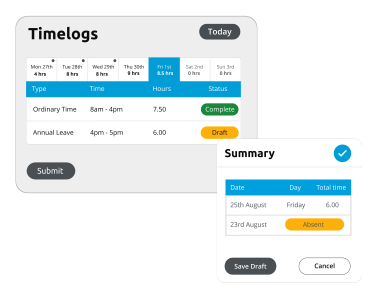
Paper timesheets can be a thing of the past with CloudPayroll. With Timelogs, employees can record their hours worked either by entering their start, break, and finish times or their total hours worked via their Employee Kiosk.
If required, hours can be recorded against time codes to assist in splitting hours worked into cost centres, locations, etc, for business reporting purposes.
After hours are submitted by the employee, the manager can revise and/or approve hours. These hours will then be accepted and included in the payroll. Timelogs make working easier for employees and managers alike.
All features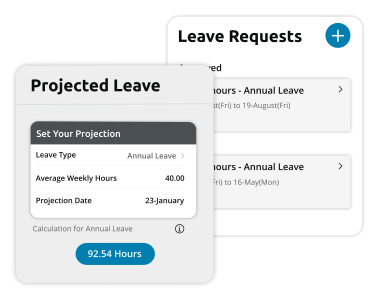
Employees can apply for leave via their Employee Kiosk, removing any manual processes that may have been in place before. The Leave Approver is notified that a leave request is pending and can then review and approve/decline accordingly. Once approved, the leave request is automatically applied to the relevant pay run.
We also have a tool to calculate projected leave balances to assist in calculating leave balances for a future date. Employees and leave approvers can view the leave calendar to easily know who is on leave before submitting and approving a leave request.
All features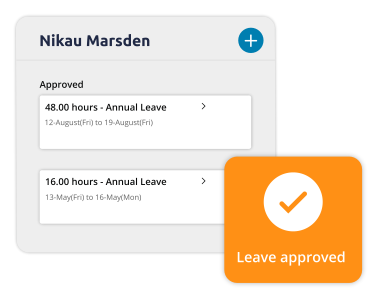
Multiple levels of secure user access can be set up according to each employee's role in the payroll process.
The Paymaster is the main user and will have full oversight of the organisation's account in CloudPayroll. There is also the option of an 'enquiry only' user, allowing them to view all payroll information. However, they cannot make any changes. Further, a data entry user can enter information into a pay run, but they will not be able to view any employee's personal information, for example, their pay.
A Leave Approver user can access details on their own team only. They can review pending leave requests and easily keep track of the balances of team members.
The Timelog User can view Timelogs that have been submitted by their team only. They can then review and accept the employees' Timelogs, and then the approved hours will be accepted into the pay run.
All features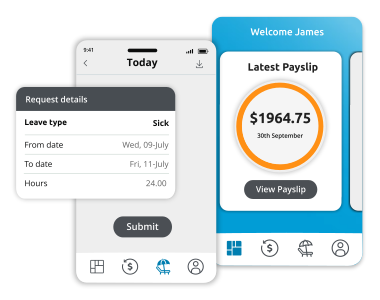
The Employee Kiosk puts your employees' pay information at their fingertips. They can also view their current payslips and tax YTD summary, apply for leave, project leave balances for a future date, record hours worked, and request changes to personal details.
The Employee Kiosk is available as an app on a smartphone or via a web browser, giving employees the flexibility to use it anywhere, anytime.
We know that our Employee Kiosk reduces payroll questions from employees to their managers, employers, and HR, meaning less work for you and/or your payroll team.
All features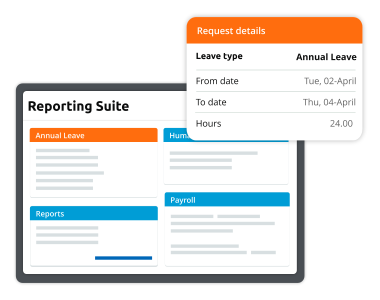
Our comprehensive report suite provides you with 50+ reports, including financial, HR, leave, tax, history, and payroll reports.
Our customers find the Costing and General Ledger Posting reports within the financial report are essential in assisting them in keeping their accountant up to date or importing them into their accounting software.
In the HR area of the Reporting Suite, you can add next of kin and, if required, license expiry dates and diary notes for your employees, plus much more. Customers also find the Leave Liabilities Report crucial to effectively manage the leave liability for their business. The Tax Activity Statement and Payroll Tax reports are available in the Tax Report suite.
The current pay run can be reviewed using the transaction list report. A variation report is also available, and both are easily available online. Choose between viewing the reports online or downloading them in a choice of formats.
All features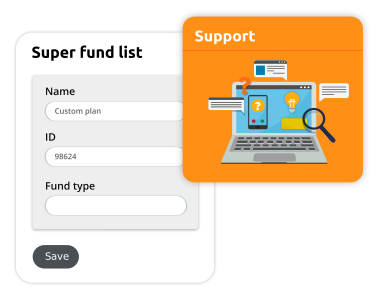
Our Support Team is based in Melbourne and Brisbane ready to provide personalised support to our customers via phone and email, Monday to Friday, from 8 am to 5 pm, at no additional cost.
Our exceptional Implementation Team will assist you with your set-up and transition to CloudPayroll by ensuring the set-up is correct from the beginning. This may include a parallel pay run to confirm all data has been entered correctly into CloudPayroll. We will provide comprehensive training to the relevant payroll person or team.
All features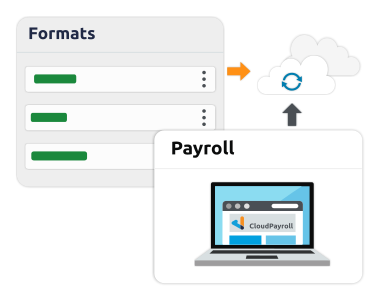
Rather than manually entering the general ledger journal into your accounting system, you can download the general ledger accounts in CloudPayroll and then upload them to your chosen accounting system. Various software formats are available, for example, MYOB, NAV, Netsuite, Workday, and many more, as well as via CSV files.
Xero clients can enable the interface with CloudPayroll for seamless integration between the two platforms. This can include tracking codes, if applicable.
You can split employees' costs over various cost centres to link to your accounting general ledger codes. CloudPayroll can split your superannuation and allowances over the exact percentages worked automatically, without the need for manual calculations.
All features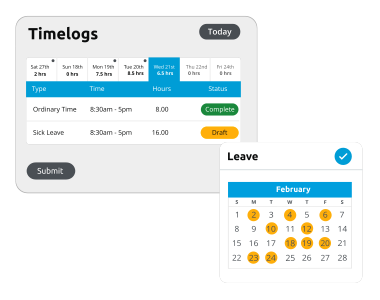
Work patterns are used to specify what hours and days an employee works. When requesting leave and the defined work pattern has been set, the system will determine whether the day is normally worked and will default to the normal hours worked on that day.
A work pattern can be a set shift for a week or rotating shift patterns. For example, week 1 is working Monday, Wednesday, and Friday, and week 2 is working Tuesday and Thursday.
All features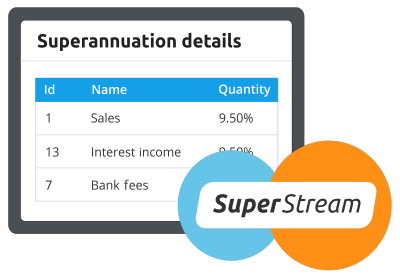
Built-in automated super payments designed to help businesses streamline payroll and support Payday Super compliance through connected payroll and super workflows.
Super payments and STP reporting for employees, contractors and WPN users.
All features1 of 10
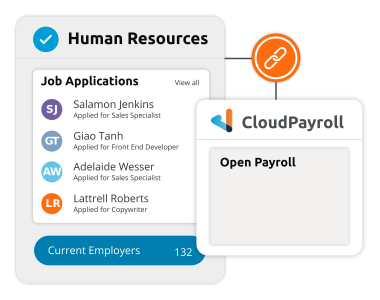
Our payroll software can be integrated with a variety of other trusted and established software systems, which will enable you to create an ecosystem for successful payroll, people, accounting and job management.